
PUBG Emotes in 2026: Controls, Wheel, and All Default Emotes
Master PUBG emote controls and the emote wheel with platform-specific inputs, default emotes, and smart customization tips for every match.
PUBG's emote system is one of those features that looks simple until a player tries to use it in the middle of a match. The controls are buried under layers of key bindings, and the emote wheel is not exactly self-explanatory. Still, emotes are useful for taunting an opponent, celebrating a chicken dinner, or communicating with teammates without voice chat. As of 2026, the core system remains familiar: players hold a button combination, choose an emote, and let their character do the talking.
Emote Controls by Platform
The first hurdle is simply opening the emote wheel. The input differs depending on where a player is playing, and the PC binding is easy to miss because it depends on keyboard layout.
| Platform | How to Open the Emote Wheel |
|---|---|
| Xbox | Hold LB and RB at the same time |
| PlayStation | Hold L1 and R1 at the same time |
| PC | Press the key directly under Esc; UK layouts use the backtick key, while US layouts use the tilde key |
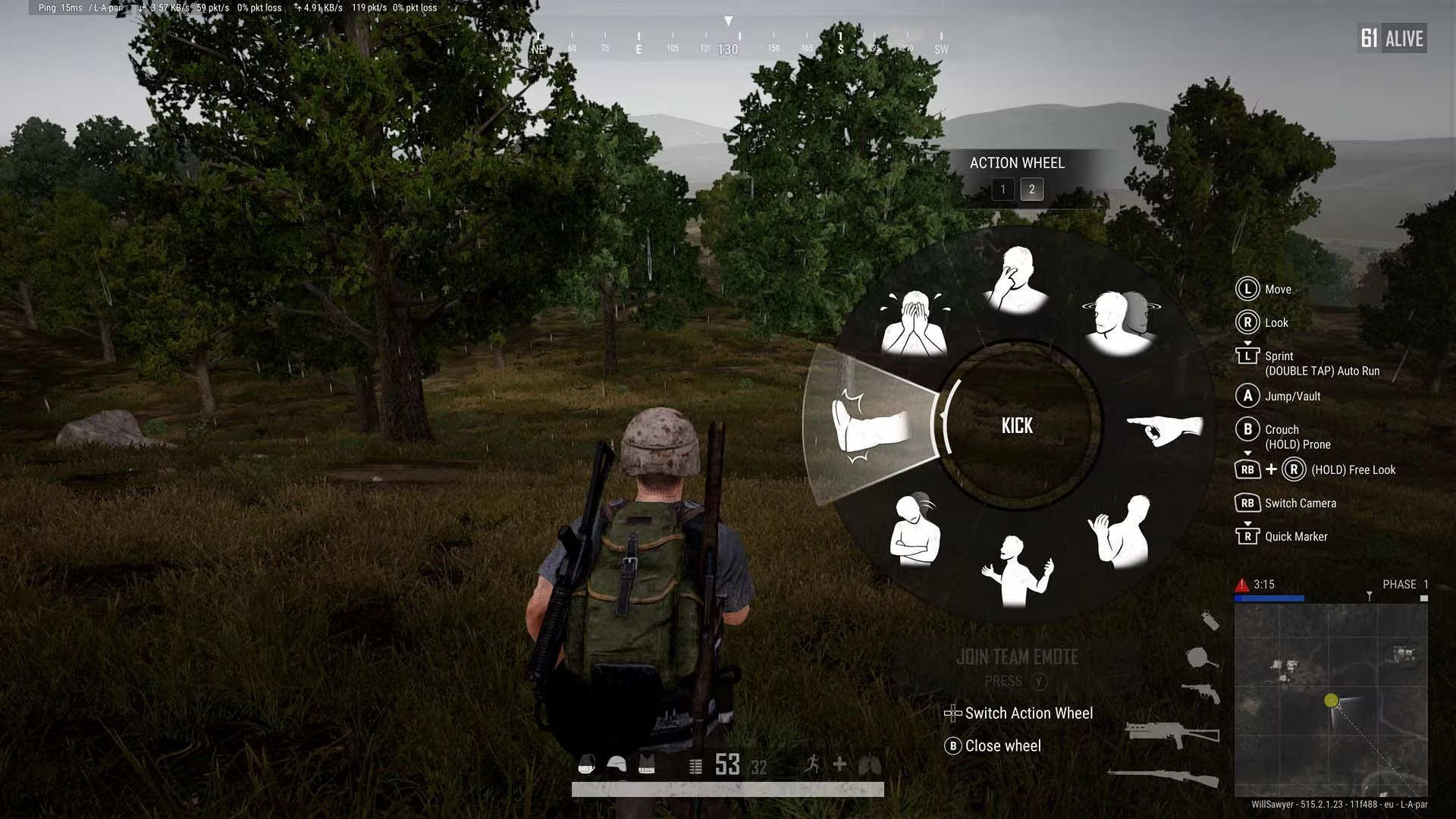
Once the wheel is on screen, controller players use the right stick to highlight an emote, and PC players use the mouse. The wheel has two pages, with eight slots on each page. Controller players switch pages by pressing left or right on the D-Pad. PC players can also select an emote by pressing the matching number key, which makes the whole process faster once the layout is memorized.
The Default Emote List
All PUBG players have access to 21 default emotes, although only 16 can be equipped to the emote wheel at once. That means players have to make some choices about which emotes deserve a slot. The full default set is:
| Emote | Typical Use |
|---|---|
| Celebrate 🎉 | Marking a big win or a good play |
| Thanks 🙏 | Showing appreciation to a teammate |
| Surrender 🏳️ | A dramatic way to admit defeat |
| Hello 👋 | A simple greeting |
| Affirmative ✅ | Agreeing with a plan |
| You're done 💀 | A confident taunt |
| Rage 😡 | Expressing frustration |
| Laugh 😂 | Responding to something funny |
| Clap 👏 | Praising or mocking a play |
| Provoke 😈 | Trying to get a reaction |
| Negative ❌ | Rejecting a plan |
| Go ➡️ | Telling a teammate to move |
| Come here 🫡 | Asking a teammate to regroup |
| Shrug 🤷 | Showing uncertainty |
| Jealous 😒 | A playful reaction |
| Kick 🦵 | A physical-style emote |
| Cry 😭 | A dramatic response |
| Cower 😨 | Acting scared |
| Stop! ✋ | Warning a teammate or signaling a pause |
| Impatient 😤 | Showing that time is being wasted |
| Thumbs up 👍 | A quick sign of approval |
Customizing the Emote Wheel
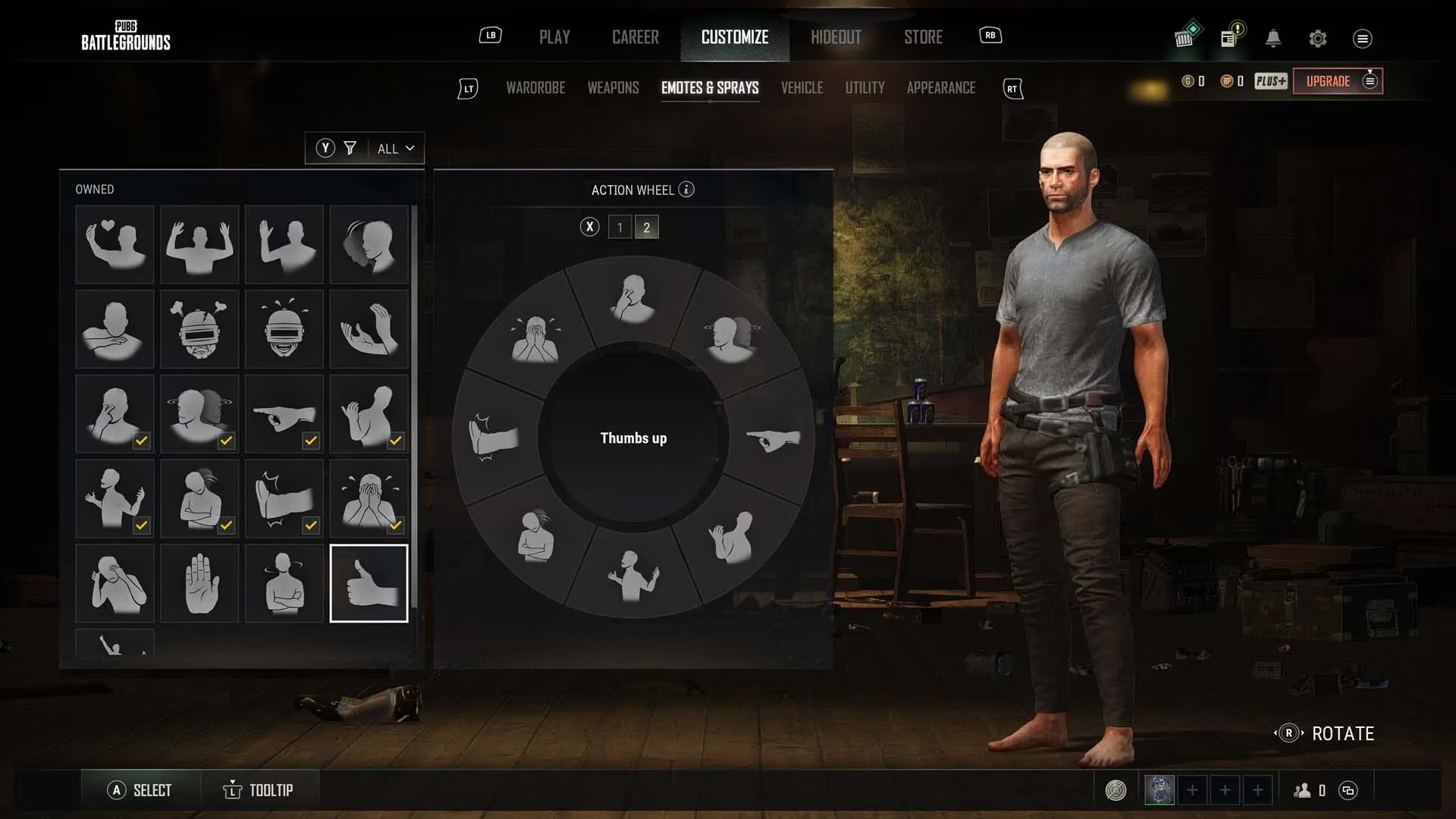
Players who want a better selection can change their wheel setup from the main lobby. The route is straightforward: open the Customize menu, go to the Emotes & Sprays tab, and look at the grid of owned emotes alongside the current wheel configuration. To swap an emote, a player selects the emote they want and then chooses a slot on the wheel. That action replaces whatever was already in that slot.
The system is flexible enough that players can even slot the same emote multiple times. That is not usually useful, but it is possible. Most players will get more value from mixing communication emotes, celebration emotes, and a few taunts.
When and Why to Use Emotes
Emotes are not just cosmetic. In a game where voice chat is not always available or comfortable, a quick Affirmative, Negative, Go, or Come here can communicate intent without a microphone. A well-timed Thanks or Thumbs up can keep team morale up. A Laugh or Clap after a clever play can add personality to a match.
There is a strategic side too. Emotes can bait an opponent, celebrate a knockdown, or signal confidence after a fight. However, they are not instant. The animation takes time, and a player who emotes in the open is asking for trouble. The safest moments are behind cover, after a squad wipe, or during a quiet rotation.
Quick Tips for 2026
-
Customize the wheel around the emotes a player actually uses. Communication emotes are often more valuable than niche taunts.
-
Learn the page-switch input. On controller, that means left and right on the D-Pad; on PC, number keys can speed up selection.
-
Practice the bumper or trigger hold until it becomes muscle memory. The emote wheel is easy to fumble under pressure.
-
Avoid emoting in open ground or during an active fight. The animation leaves a character exposed.
-
Use emotes to build team chemistry. A simple Hello at the start of a match can set a friendlier tone.
PUBG's emote system is not the most intuitive part of the game, but it is worth learning. With the right wheel setup and a little practice, players can celebrate, communicate, and taunt without missing a beat.